Discover the right talent, decide with clear evidence
Evaluate internal employees and external candidates against job requirements you control, review the CV evidence behind every evaluation, and request clarification of missing information before you decide.
- Internal and external talent: Rediscover profiles saved in your pool alongside new applicants.
- Criteria you control: Adjust requirements and their importance, then re-evaluate.
- Evidence for each requirement: Distinguish missing information from unmet requirements.
- Clarify the gaps: Send candidates a clarification email you review and approve.
Designed to support recruiters’ decisions, not replace them.
7-day free trial with usage limits, no credit card required · Or a 15-minute live demo
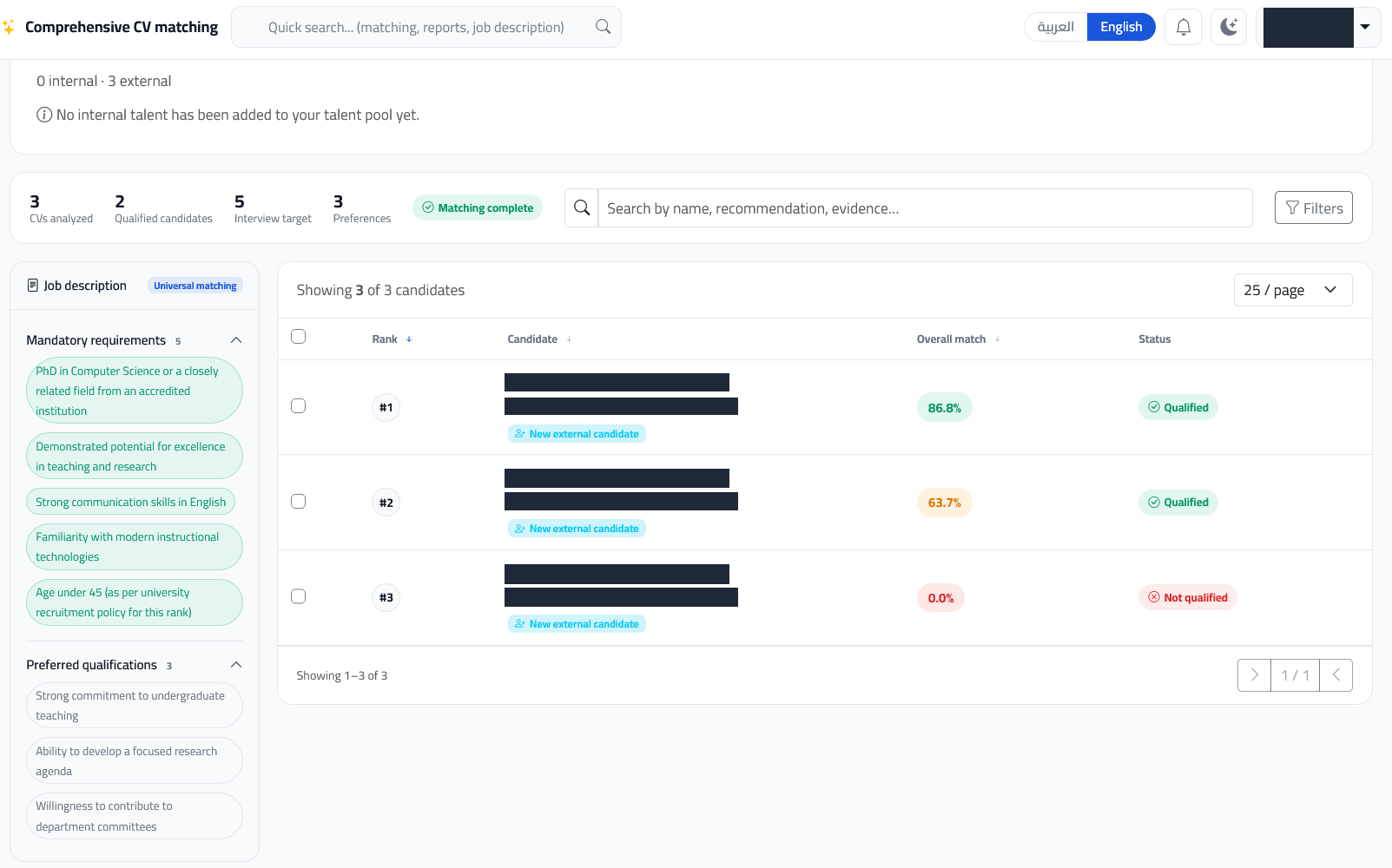
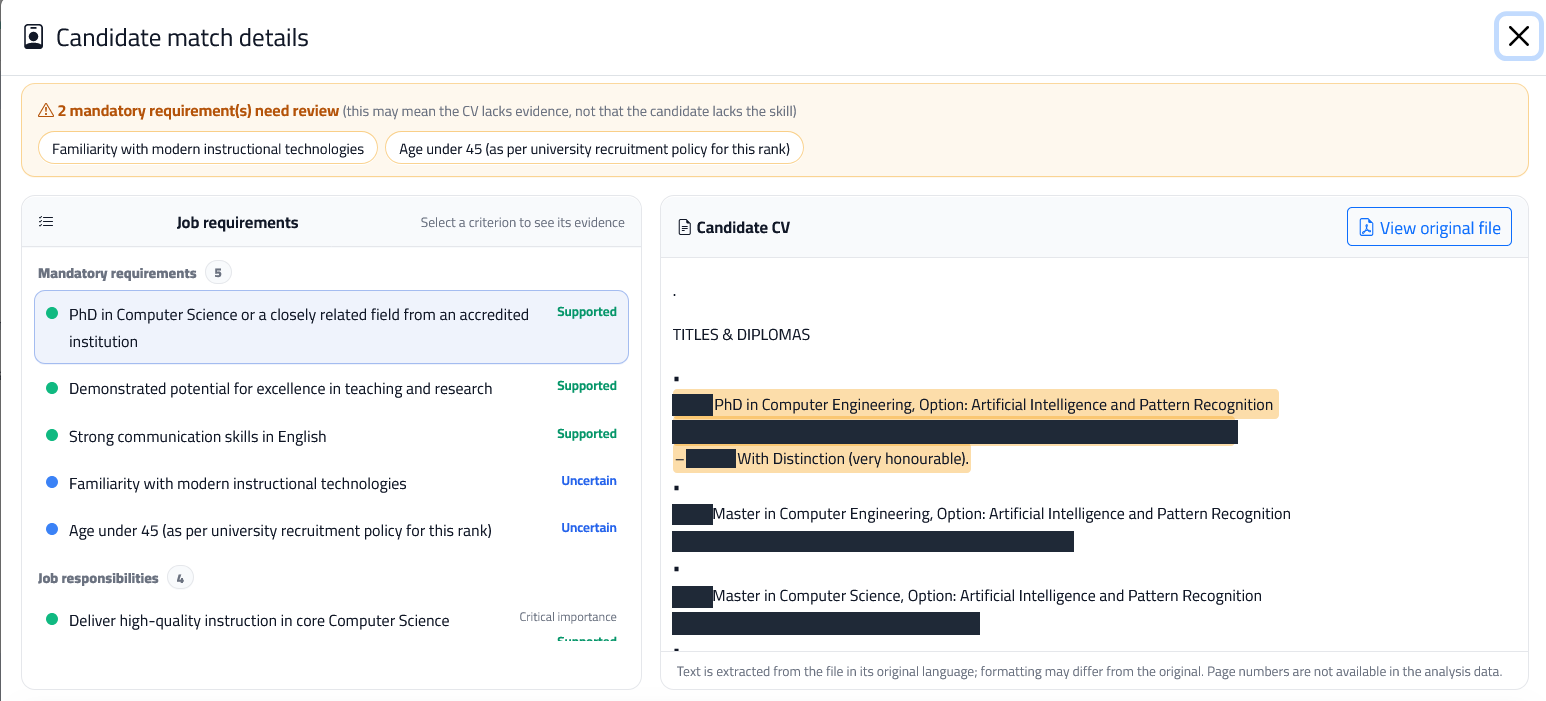
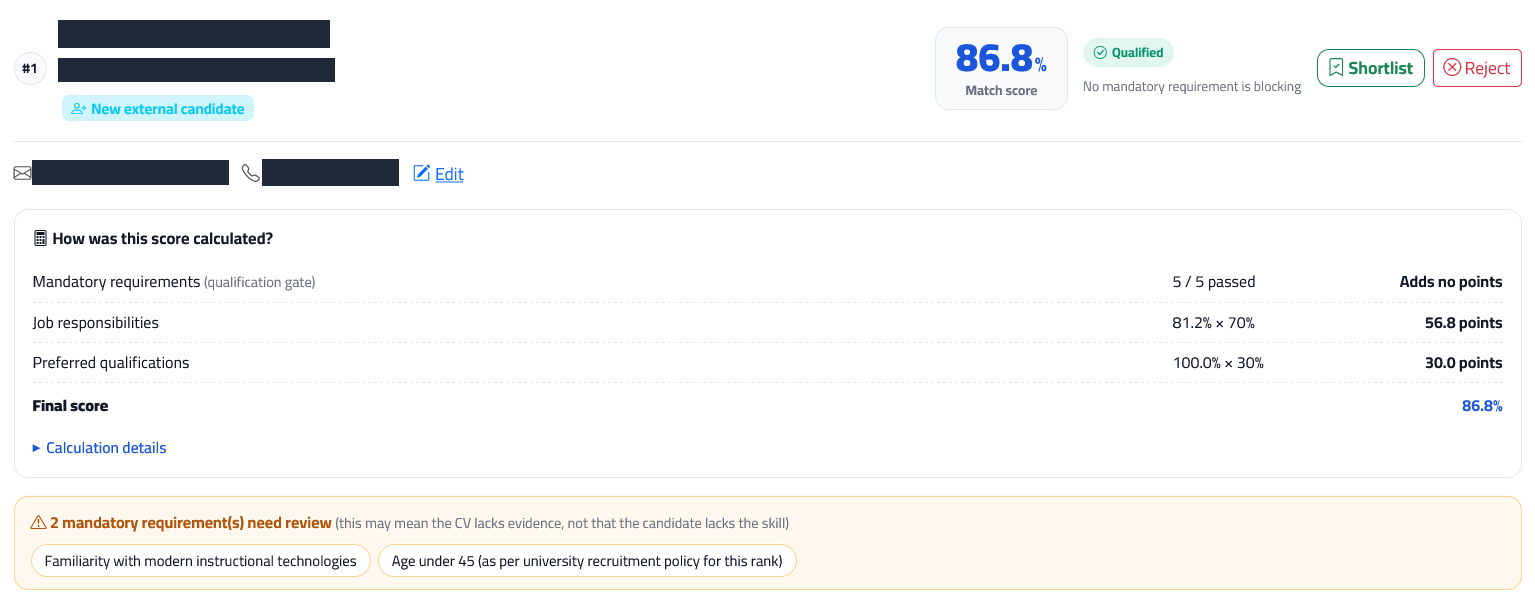
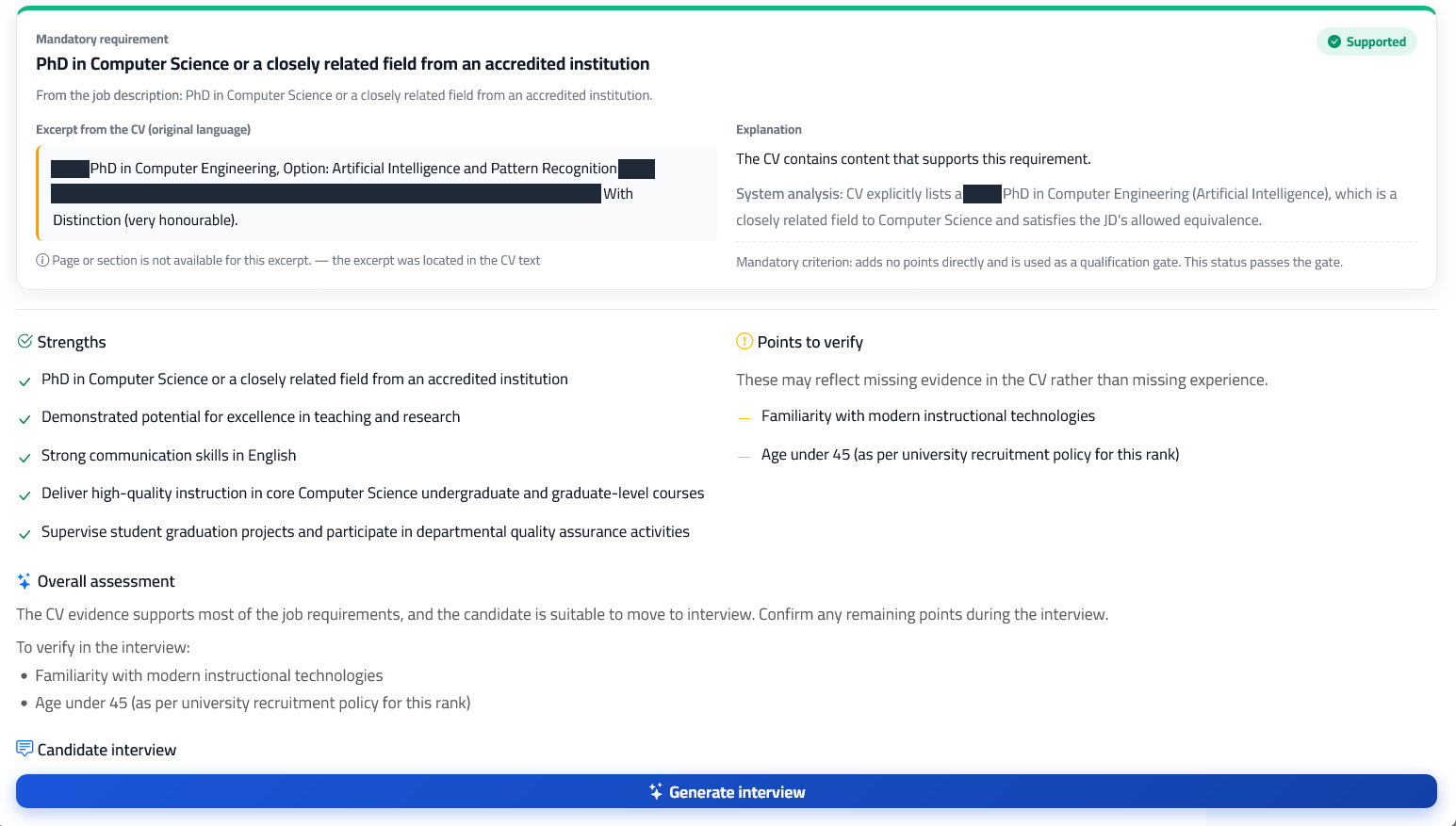
See FasterMatching in action
A short walkthrough: from the job description to candidate ranking, evidence review, and clarification requests.
Finding the right person takes more than reading CVs
Overlooked internal talent
Suitable employees can be overlooked when a new role opens, because their profiles are not reviewed alongside new applicants.
Time-consuming screening
Comparing every CV with every requirement in the job description is repetitive work.
Scores without explanations
A match percentage alone does not show what supports an evaluation or what needs verification.
Missing is not unqualified
CVs often omit important details, and treating every gap as a rejection can exclude suitable candidates.
Discover talent inside and outside your organization
Evaluate current employees and external candidates against the same job requirements, in one review workflow.
Internal employees
Label saved profiles as internal employees so they are considered when you match new roles and internal mobility becomes visible.
External candidates
Upload new PDF or DOCX CVs and compare them against the same requirements.
A reusable candidate pool
Save profiles once, then match them to other roles and review their past matching history.
You add profiles and set their labels yourself; there is no direct integration with an HR system, ATS, or job platform.
You decide what matters for the role
Requirements extracted from the job description are a starting point. Review and adjust them to your real needs, then re-evaluate when needed.
- Add, edit, or remove criteria
- Classify them as mandatory or preferred
- Set each criterion’s importance: low, medium, or high
- Reorder them or restore the original criteria
- Rerun the evaluation as a new run and compare runs
- Earlier runs stay saved for comparison.
Review what is behind the score, not just the score
- Score explanation: Understand how responsibilities and qualifications contribute to the result.
- Evidence in context: Locate the supporting passage in the CV text when a matching excerpt is available.
- A clear status for each criterion: Supported Partially supported Uncertain Not found in CV
Missing evidence is not proof of a missing skill. An excerpt or its location may be unavailable, and analysis can be wrong. Check the original file and verify important points with the candidate.
Compare candidates requirement by requirement
Instead of comparing two percentages, see where each candidate is strong and what needs clarification.
Illustrative example for a “Sales Team Lead” role with fictional candidates; not real platform output.
| Requirement | Candidate A | Candidate B |
|---|---|---|
| 5+ years of B2B sales experience Mandatory | Supported | Supported |
| Experience leading a sales team Mandatory | Partially supported | Supported |
| Use of CRM systems Preferred | Supported | Uncertain |
| Professional communication in Arabic and English Preferred | Not found in CV | Supported |
| Worth clarifying | The size of the team led, and English communication level. | Which CRM systems were used. |
“Not found in CV” does not mean the candidate lacks the skill; it means asking about it may be useful.
Ask the candidate instead of ruling them out
When information is uncertain, missing, or ambiguous, send a professional clarification email in minutes.
-
Identify the gaps
The platform lists uncertain, missing, or ambiguous requirements with the available evidence for each.
-
Choose what to ask about
Select or deselect the requirements to include in the email.
-
Review and edit the draft
AI drafts a polite email with specific questions; you can edit it fully or regenerate it.
-
Send after your approval
The email is sent only when you click send, and the request and its status are saved in the candidate’s history.
Email only. No message is sent automatically, and candidate replies are not analyzed and scores do not change automatically.
Recruitment tools in one workflow
MVP capabilities subject to usage and plan limits.
Job description assistance
Draft, edit, and save job descriptions, and analyze their requirements before matching.
Candidate matching and ranking
Evaluation against mandatory requirements, responsibilities, and preferred qualifications, with results you can review.
Tailored interview questions
Generate draft questions from a candidate’s results for you to review and use in an interview.
Arabic and English
Arabic and English interfaces and CV/job-description processing, with source excerpts kept in their original language.
Decision support, with the final decision remaining yours.
The final decision stays with the recruiter
Rankings help organize your review; they do not make the hiring or rejection decision for you.
Explainable evaluations
Each criterion has a status, an explanation, and available CV evidence, so you can see why each result was given.
Clear limitations
Automated analysis may be wrong or miss information. Excerpts are not independent verification of a candidate’s experience or qualifications.
Job-related requirements
Focus on skills, experience, and qualifications needed for the role, not sensitive personal characteristics as selection criteria.
Access and data controls
Access tied to your account
Matches, candidate pools, and clarification history are available only after sign-in and are tied to your recruiter account.
Protected sign-in and forms
Passwords are stored as hashes, and forms are protected against cross-site request forgery (CSRF).
AI processing
CV and job-description text is processed by a third-party AI model provider to produce the analyses.
You decide what to upload
Upload only CVs you are authorized to process, and contact us to discuss data-handling requirements before testing with real data.
Start discovering the right talent with confidence
Try FasterMatching on a real vacancy with a manageable set of CVs you are authorized to process, or book a short demo to discuss your screening workflow, and share feedback directly with the team.
A 7-day free trial with usage limits, no credit card required. A paid plan is required to continue after the trial ends.